
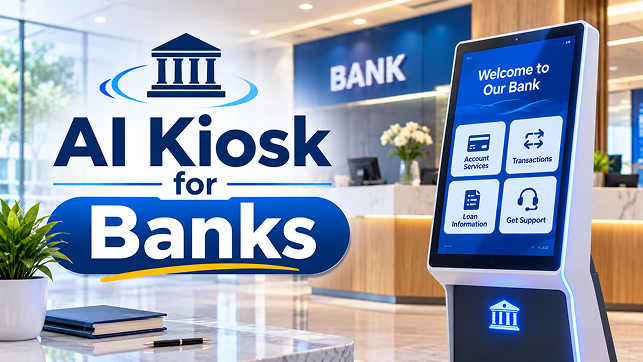
A customer entering a bank branch may already know what they want to do, but not necessarily where to begin. Someone visiting to enquire about a new account might need information about documents and application procedures. Another customer may want to understand a loan service, replace a card or find the department responsible for a particular request.
These questions are not always complicated, but getting an answer can involve waiting at the reception counter or approaching an employee who is already assisting someone else. When several visitors arrive with similar questions, branch staff can spend a considerable part of their time providing basic directions and explaining routine procedures.
An AI kiosk for banks offers another way to handle these initial interactions. Instead of relying entirely on printed information, fixed touch-screen menus or an available employee, visitors can interact with an intelligent kiosk to ask questions and receive guidance based on information approved by the bank.
The purpose is straightforward: help customers understand where to go, what information they need and which service channel to use. For banks and financial institutions, the opportunity lies in improving the first stage of the branch visit without making the customer experience more complicated.
The Problem Begins Before a Customer Reaches the Banking Counter
Bank branches handle different types of customer requests throughout the day. Some visitors need assistance with routine account services, while others arrive to discuss loans, cards, deposits, business banking or other financial products.
The challenge is that customers do not always know which service is responsible for their request.
A visitor might approach the reception counter to ask about opening a business account. Another may need to know which documents are required for a particular application. Someone else may simply want to locate the correct department.
When employees answer these questions individually, the same information has to be explained repeatedly. This can make the initial customer journey slower, particularly when the branch is busy.
A traditional information board or brochure can provide some guidance, but customers must find the relevant information themselves. A fixed-menu kiosk offers more interaction, although visitors may still need to navigate several options before finding the right answer.
This is where an AI-enabled banking kiosk can provide a different experience. It can allow visitors to describe what they need in their own words and receive guidance based on the bank’s approved information.
The focus is not on replacing the banking counter. It is on making the information customers need before reaching that counter easier to access.
How an AI Kiosk Works Inside a Bank Branch
An AI kiosk for banks combines an interactive display with conversational software that can understand customer questions and provide relevant information.
A visitor might approach the kiosk and ask, “I want to open a business account. Where should I start?”
Rather than requiring the customer to search through several categories, the kiosk can identify the subject of the enquiry and present the relevant information. Depending on its configuration, it may explain the general application process, show the approved document checklist or direct the visitor to the appropriate service counter.
A typical interaction can follow four stages:
1. Customer enquiry: The visitor enters a question through the touch screen or speaks to the kiosk if voice interaction is supported.
2. Question understanding: The AI system identifies the subject of the enquiry and determines which approved information is relevant.
3. Information and guidance: The kiosk presents an answer, instructions or directions based on its configured information sources.
4. Next step: If the visitor needs additional assistance, the kiosk directs them to the appropriate employee, counter or approved banking channel.
The quality of this interaction depends on the information available to the AI system. A kiosk should use content reviewed and approved by the financial institution, rather than generating unrestricted answers about banking products or procedures.
The exact capabilities also depend on the selected solution. A conversational information kiosk should not automatically be described as a transaction terminal, account-opening system or identity-verification device.
Where Banking Self-Service Kiosks Can Help Customers
The most useful applications of a banking self-service kiosk are the ones that address actual questions visitors encounter during a branch visit.
Finding the Correct Banking Department
Customers may not always know whether their enquiry belongs to account services, card services, loans, deposits or business banking.
An AI kiosk can ask what assistance the visitor needs and guide them towards the appropriate department or counter. This is particularly relevant in branches where several banking services operate within the same premises.
For example, a customer visiting to enquire about a debit card issue could receive directions to the relevant service area rather than having to ask multiple employees.
Understanding Account-Opening Procedures
Opening an account can involve several steps, and customers may want to understand the process before speaking to a banking representative.
An interactive banking kiosk can provide general information about the types of accounts offered, the application process and the documents listed in the bank’s approved requirements.
A visitor interested in opening a business account, for instance, could ask what information is generally required and where to proceed for further assistance.
The kiosk should explain published requirements rather than determine whether an individual applicant qualifies. Final eligibility checks and account-opening decisions must remain within the bank’s authorised processes.
Getting Information About Loans and Financial Products
Customers often visit branches to understand available loan services, deposit products, cards and other financial offerings.
A bank branch kiosk can make approved product information easier to access. Visitors could ask about general product features, application steps or where to obtain additional information.
This can be useful when customers are still exploring their options and need a starting point before speaking with a banking representative.
However, general product information must be kept separate from personalised financial advice. A kiosk should not independently recommend a financial product based on an individual’s circumstances unless a specifically authorised and controlled process supports that activity.
Understanding Banking Services and Procedures
Some visitors already have a specific requirement but are unsure about the procedure.
They may want to know how to request a replacement card, update certain details, obtain a statement or find information about a banking service.
An AI kiosk can explain the relevant published procedure and direct customers to the appropriate service channel.
The bank should ensure that the information is regularly reviewed. Outdated instructions about documents, application steps or service availability can create more confusion instead of improving the customer journey.
Locating Branch Facilities and Services
Visitors may also need help finding a particular counter, meeting area or service facility.
A kiosk with configured branch-navigation information can provide directions based on the facilities available at that location.
This is especially useful where different banking services operate in separate areas. Instead of asking an employee for directions, visitors can use the kiosk as an information point before proceeding.
The branch layout and directions must be maintained whenever the physical arrangement changes.
What Makes an AI-Enabled Banking Kiosk Different From a Standard Kiosk?
A conventional banking information kiosk generally relies on predefined screens, menu options and instructions. Customers select a category and move through the available choices.
An AI-enabled banking kiosk adds the ability to understand questions expressed in natural language. Instead of knowing which menu to open, a visitor can describe the requirement and receive relevant guidance.
For example, consider these two interactions:
Standard kiosk: The visitor selects Account Services, then New Account, then Business Account to find the relevant information.
AI-enabled kiosk: The visitor asks, “How can I enquire about opening a business account?” The kiosk identifies the subject and presents the approved information.
The difference is primarily in how customers access information. AI can make the interaction more conversational, but it does not automatically make every banking process self-service.
A bank should evaluate whether conversational interaction solves a genuine problem that its existing information kiosk cannot address. If customers only need to find a counter or read a simple instruction, a standard kiosk may already be sufficient.
What Banks Need to Get Right Before Introducing an AI Kiosk
An AI kiosk should be designed around the information customers are allowed to access and the actions they are permitted to perform.
Approved banking information: The kiosk should use current, bank-approved information about products, services, procedures and branch facilities. Banks should establish who is responsible for reviewing and updating that content.
Clear boundaries for customer requests: The system must distinguish between general information and requests involving personal account details, financial decisions or sensitive transactions. It should not provide answers outside its authorised scope.
Human assistance when needed: Some enquiries cannot be resolved through general information. Customers should have a clear route to an employee when they need personal assistance, clarification or a decision that requires authorised staff.
Privacy during interaction: Banks should consider the placement of the screen, the visibility of displayed information and whether voice interactions could be overheard by other visitors.
Ease of use: The interface should be understandable to customers with different levels of digital familiarity. Instructions should be clear, navigation should be simple and customers should not have to repeat the same information unnecessarily.
Reliable information and testing: Banks should test the kiosk using realistic customer questions, including incomplete requests, differently worded questions and enquiries that the system should not answer. This helps identify confusing responses before the kiosk is introduced to visitors.
Can an AI Banking Kiosk Handle Financial Transactions?
This depends on the solution and the banking systems connected to it.
An AI information kiosk may be designed only to answer questions and guide visitors. A more advanced self-service banking kiosk may include additional functions through approved banking integrations and dedicated transaction hardware.
These are different deployment models and should not be treated as interchangeable.
Functions such as balance enquiries, account changes, card issuance, identity verification, payments or fund transfers involve sensitive customer information and banking operations. They require the financial institution’s approved authentication, security, authorisation and audit controls.
AI should not independently perform these activities simply because the kiosk can understand a customer’s question.
For banks considering transaction-based self-service, the project must define exactly which operations are permitted, how customers are authenticated, which systems process the requests and when an employee must become involved.
For an information-focused kiosk, the safer and more appropriate starting point may be to answer general questions and direct visitors to the bank’s existing secure channels for account-specific activities.
Measuring Whether the Kiosk Is Actually Helping
Installing a kiosk does not automatically mean that the branch experience has improved. Banks should evaluate whether customers can complete the intended information journey more easily.
Useful areas to review include:
- Common questions: Which banking enquiries are visitors asking most frequently?
- Information access: Are customers finding the answers they came to the kiosk for?
- Unresolved interactions: Which questions does the kiosk fail to understand or answer?
- Employee handovers: How often do visitors still need assistance from branch staff?
- Customer feedback: Do visitors find the information and directions clear?
- Content accuracy: Are the answers consistent with the bank’s current procedures?
These observations can help identify gaps in the kiosk’s information and areas where the customer journey needs improvement.
Banks should also review whether the kiosk is being used for its intended purpose. If visitors repeatedly abandon an interaction or ask employees the same questions afterwards, the information structure or user experience may need to be revised.
Making the First Banking Interaction More Useful
For banks and financial institutions, an AI kiosk is most useful when it addresses a specific gap in the branch experience. Helping visitors find the correct department, understand account-opening procedures and access approved product information can make the initial stage of a banking visit easier to navigate.
The technology should remain within clearly defined boundaries. General information and service guidance can be provided through the kiosk, while account-specific requests, sensitive transactions and decisions requiring professional judgement should follow the bank’s authorised processes.
Before selecting an AI kiosk for banks, financial institutions should identify the enquiries they want to support, determine what information can be made available and establish how customers will reach an employee when further assistance is needed.
For organisations exploring AI-enabled customer interaction solutions, AsiaTel can discuss the relevant technology requirements and how they relate to existing customer-service processes. The first step is to define the banking interactions the kiosk is expected to support and assess whether the proposed solution fits those requirements.