
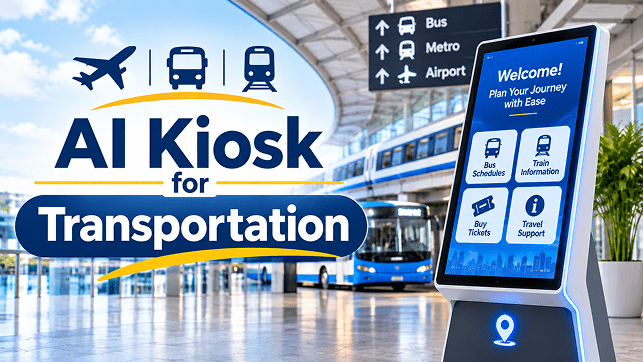
A passenger arriving at a large airport may need to locate a departure gate, check where to collect baggage or find the correct transport connection. At a railway station, someone may be trying to identify a platform, locate a ticket counter or understand where to board. In a busy bus terminal, passengers may need directions to a particular bay or information about available facilities.
These situations are common across transportation facilities. Although signs, announcements, information counters and digital displays help passengers, finding the right information can still take time, particularly in unfamiliar locations or during busy travel periods.
An AI kiosk for transportation offers another way to provide passenger assistance. Instead of relying entirely on fixed menus or searching through multiple information boards, passengers can interact with a kiosk using supported voice or touchscreen features and ask questions in a more natural way.
For transportation operators, this creates an opportunity to make passenger information easier to access, support multilingual communication and help staff manage repetitive enquiries. However, the value of an AI kiosk depends on the accuracy of its information, the systems it connects to and how well it fits into the passenger journey.
Why Passenger Information Can Be Difficult to Access
Transportation facilities bring together people with different destinations, travel requirements, language preferences and levels of familiarity with the location. A passenger who visits a station every day may understand its layout, while a first-time visitor may struggle to identify the correct entrance or platform.
Large and complex transportation facilities
Airports, major railway stations and integrated transport terminals can have multiple floors, entrances, platforms, gates, service counters and passenger facilities. Static signs may provide directions, but passengers sometimes need additional explanations to understand which route to follow.
Repeated enquiries at information counters
Staff frequently answer questions about directions, facilities, service locations and general procedures. During peak hours, these repeated enquiries can contribute to queues and reduce the time available for more complicated passenger requests.
Language differences
International airports and busy transport hubs serve people from different linguistic backgrounds. A passenger may understand the destination but have difficulty reading the local signs or explaining the problem to an employee.
Changes in travel information
Platform allocations, departure gates, service notices and operating arrangements can change. If information displayed at a kiosk is not connected to an approved and updated source, passengers may receive outdated directions.
These challenges show why passenger information needs to be accessible, easy to understand and properly maintained. An AI kiosk can support this process when it is designed around the actual information requirements of the transportation facility.
What Is an AI Kiosk for Transportation?
An AI kiosk for transportation is an interactive information point that uses artificial intelligence to understand passenger questions and provide relevant guidance through a screen, voice interface or both.
A conventional information kiosk generally asks users to select categories, navigate menus or search for information using a touchscreen. An AI-enabled kiosk can offer a more conversational experience, allowing passengers to ask questions in supported languages instead of following a fixed sequence of menu options.
For example, a passenger might ask:
- Where is the departure gate?
- How can I reach platform four?
- Where is the nearest restroom?
- Where can I find the airport shuttle?
- Which counter provides passenger assistance?
The kiosk interprets the question and provides an answer based on its configured information and available system connections. Depending on the deployment, it may also display a map, directions, service details or the next steps.
Importantly, an AI kiosk does not automatically have access to live transport information. Current train schedules, flight status, gate changes and platform allocations require reliable connections to the relevant operational systems. Without those connections, the kiosk should provide only approved general information rather than presenting an unverified answer as current.
Where AI Kiosks Can Be Used Across Transportation
The requirements of an airport are different from those of a railway station or bus terminal. The kiosk’s information and functions should therefore be configured around the facility where it will be installed.
1. Airports
Airports have complex passenger journeys involving check-in areas, security checkpoints, departure gates, baggage claim, lounges, immigration areas and ground transportation.
An AI kiosk can provide guidance about airport facilities and help passengers understand where they need to go.
Potential applications include:
- Directing passengers towards departure gates and check-in counters.
- Explaining where baggage collection areas are located.
- Providing directions to restrooms, lounges and other facilities.
- Helping passengers locate airport shuttle and ground transport points.
- Explaining approved procedures for common passenger enquiries.
- Providing information in supported languages.
Where authorised integrations are available, the kiosk may also retrieve current flight or gate information. This requires a dependable connection to the airport’s relevant information systems.
2. Railway Stations
Large railway stations can be difficult to navigate, particularly for passengers unfamiliar with the station layout. Multiple platforms, entrances, ticket counters, waiting areas and exits can make finding the correct location challenging.
A transportation AI kiosk can help passengers locate station facilities and understand where they need to proceed.
For example, it may:
- Show directions to a specific platform.
- Help passengers locate ticket counters and enquiry desks.
- Identify waiting areas, restrooms and other facilities.
- Explain station entry and exit routes.
- Provide general information about passenger services.
- Display approved information in supported regional languages.
Live train timings, platform allocations and service disruptions should only be displayed when the kiosk receives verified information from the railway operator’s systems.
3. Metro Stations
Metro passengers often need quick directions because they may be transferring between lines, entering through unfamiliar gates or looking for a particular exit.
An AI-enabled metro information kiosk can support passengers by helping them understand the station layout and locate available services.
Possible applications include:
- Locating ticketing and customer assistance counters.
- Showing directions to platforms and station exits.
- Identifying interchange routes between metro lines.
- Providing information about lifts, escalators and accessible routes.
- Explaining station facilities and passenger procedures.
For route planning, the kiosk needs accurate station maps and, where applicable, updated route information. It should not assume that every station connection or service is currently operating.
4. Bus Terminals
Bus terminals can have multiple boarding bays, operator counters, waiting areas and passenger facilities. First-time visitors may find it difficult to identify the correct departure area.
An AI kiosk can act as an information point by helping passengers locate:
- Boarding bays and bus operator counters.
- Waiting areas and passenger facilities.
- Entry and exit points.
- Enquiry and assistance desks.
- Approved route and service information.
If live bus schedules or departure details are required, the kiosk must connect to the relevant operator or terminal information system.
Common Applications of AI Kiosks in Transportation
The following table summarises how a transportation information kiosk can support different passenger requirements.
| Passenger requirement | How an AI kiosk can help | Information required |
| Finding a location | Provides directions and displays maps | Approved facility maps |
| Locating platforms or gates | Explains the route to the required area | Current terminal or station layout |
| Checking travel information | Answers schedule and status questions when connected | Verified operational data |
| Finding facilities | Identifies restrooms, counters and waiting areas | Updated facility directory |
| Language assistance | Provides answers in configured languages | Reviewed multilingual content |
| Understanding procedures | Explains approved passenger instructions | Official operating guidelines |
These applications can be introduced individually or combined into one kiosk experience. The right configuration depends on the passenger volume, facility layout and information systems already used by the operator.
Traditional Information Kiosks vs AI-Enabled Kiosks
Both traditional and AI-enabled kiosks can provide useful information. The main difference is how passengers interact with them and how information is presented.
| Comparison area | Traditional information kiosk | AI-enabled information kiosk |
| Interaction | Mainly menu-based navigation | Can support conversational questions |
| Information search | Users select categories or enter search terms | Users can ask questions naturally |
| Language support | Depends on available interface translations | Can support configured multilingual interaction |
| Directions | May display fixed maps and directories | Can explain directions conversationally and show maps |
| Enquiry handling | Follows predefined menus | Can interpret different ways of asking supported questions |
| Information sources | Uses configured directory or system data | Uses approved content and connected data sources |
| Complex requests | Usually directs users to a service desk | Can identify supported requests and direct unresolved cases to staff |
AI does not make every interaction automatically better. A well-designed traditional kiosk may be more suitable for a simple, fixed task. An AI-enabled kiosk becomes more useful when passengers need flexible questions, additional explanations or multilingual assistance.
How AI Kiosks Can Improve the Passenger Experience
The purpose of introducing an AI kiosk should be to make information easier to access, not simply to add another digital screen to a transportation facility.
Faster access to common information
Passengers can ask a question directly instead of searching through several information categories. This can be particularly helpful when someone is unfamiliar with the facility or needs quick directions.
More accessible multilingual assistance
A kiosk configured with multiple languages can help passengers who are not comfortable using the primary language displayed on signs. Voice interaction may also make information easier to access for people who find touchscreen navigation difficult.
Language support should be tested in the actual operating environment. Speech recognition can be affected by background noise, accents and the pronunciation of station or destination names.
Better use of staff time
When a kiosk handles suitable routine enquiries, information staff may have more time to assist passengers who need personal attention.
This should be treated as support for employees rather than a replacement for them. Passengers dealing with missed connections, accessibility needs, emergencies or unusual travel situations may still require direct staff assistance.
Consistent presentation of approved information
A centrally managed information source can help ensure that common passenger instructions are presented consistently across multiple kiosks. This requires a clear process for reviewing and updating information whenever routes, facilities or operating procedures change.
What Should Transportation Operators Consider Before Implementation?
An AI kiosk project involves more than choosing a screen and installing conversational software. Operators should evaluate the information, infrastructure and passenger experience before deployment.
1. Identify the most frequent passenger enquiries
Start by understanding what passengers regularly ask staff. An airport may receive frequent questions about gates and baggage collection, while a railway station may receive more enquiries about platforms, exits and ticket counters.
The initial kiosk configuration should address these real requirements rather than attempting to answer every possible question.
2. Connect the kiosk to reliable information sources
The quality of an AI kiosk depends heavily on the information available to it.
Operators should identify which systems will supply facility maps, service directories, travel schedules and operational updates. Each information source should have a clear owner responsible for accuracy and maintenance.
3. Plan for accessibility
A transportation kiosk should be usable by passengers with different physical, sensory and communication needs.
Consider the following:
- Screen height and wheelchair access.
- Readable text and appropriate contrast.
- Clear touch controls and sufficiently large buttons.
- Audio guidance and text-to-speech options.
- Captions or visual alternatives to spoken information.
- An option to reach staff when assistance is required.
Accessibility should be considered during the design stage rather than added after installation. India’s accessibility guidance also addresses access to transportation facilities and information for persons with disabilities.
4. Consider connectivity and infrastructure
Kiosks may be installed in busy terminals, station concourses and other public areas where network conditions vary.
Operators should assess network availability, power supply, hardware durability, software updates and the support process for technical failures. If connectivity is interrupted, the system should communicate its limitations and provide access to any approved offline information where available.
5. Protect passenger privacy
The kiosk should collect only the information necessary for its intended purpose. Operators should understand whether voice recordings, personal details or interaction logs are stored, where they are processed and who can access them.
If the kiosk is connected to ticketing or passenger account systems, additional security and authentication requirements may apply. Public information assistance should not unnecessarily require passengers to provide personal information.
6. Define when a human employee should take over
Not every passenger enquiry should be handled by an AI system. Operators should establish clear escalation procedures for situations involving emergencies, complaints, accessibility assistance, disputed travel information or requests outside the kiosk’s approved scope.
A passenger should be able to find an employee or contact an appropriate assistance desk without being trapped in a repeated automated conversation.
A Practical Checklist Before Deploying an AI Transportation Kiosk
The following comparison-style checklist can help transport operators assess whether a proposed deployment is ready for implementation.
| Area to evaluate | What operators should confirm |
| Passenger needs | The kiosk addresses frequently asked questions |
| Information accuracy | Answers come from approved and maintained sources |
| System integration | Required live data connections are available and tested |
| Language support | Selected languages work reliably in the facility |
| Accessibility | Alternative interaction methods are available |
| Security and privacy | Data collection, access and retention are clearly defined |
| Human assistance | Unresolved enquiries can be transferred to staff |
| Maintenance | Updates, monitoring and technical support are planned |
A pilot deployment in one passenger area can help operators identify usability problems before expanding the solution across the entire facility.
How to Measure Whether an AI Kiosk Is Working
After installation, transportation operators should evaluate whether the kiosk is genuinely helping passengers.
Useful measures include:
- Enquiry completion: How many supported passenger questions are answered successfully?
- Information accuracy: Are directions and service details correct and up to date?
- Staff escalation: How frequently do passengers need to be transferred to an employee?
- Language performance: Does the kiosk understand and respond reliably in its configured languages?
- Usage patterns: Which questions and locations generate the most interactions?
- Passenger feedback: Do users find the kiosk easy to understand and helpful?
These measures can reveal where the system is useful and where improvements are needed. For example, repeated questions about one particular exit may indicate that the station map or physical signage needs attention.
Operators should also review unsuccessful interactions and outdated answers. A kiosk that receives many enquiries but provides unreliable information should not be considered successful simply because it is being used.
The Role of Human Support in AI-Based Transportation Assistance
Transportation environments involve situations that cannot always be resolved through automated information. A passenger may have missed a connection, lost an important document, need mobility assistance or be unsure how to respond to an unexpected service disruption.
An AI kiosk can explain approved procedures and direct passengers towards the appropriate service point. However, it should not make unsupported decisions or present uncertain information as fact.
A useful arrangement combines self-service information with access to employees through an effective contact centre, allowing passengers to receive assistance when automated information is not enough.” The kiosk handles suitable routine enquiries, while staff remain available for situations that require judgement, personal assistance or operational intervention.
This approach makes the technology a supporting part of passenger service rather than a barrier between passengers and employees.
Conclusion: Making Transportation Information Easier to Access
Airports, railway stations, metro networks and bus terminals all depend on clear passenger information. When people cannot find the right directions or understand the available services, even a routine journey can become frustrating.
An AI kiosk for transportation can improve this experience by offering conversational assistance, multilingual information, facility navigation and access to approved travel details. Its effectiveness, however, depends on accurate information, reliable system integrations, accessible design and a clear process for human assistance.
For transportation operators, the best starting point is to identify the passenger enquiries that create the most difficulty and determine whether an AI-enabled kiosk can address them reliably. A carefully planned pilot, supported by accurate data and regular performance reviews, can help establish where the technology adds practical value.
If your organisation is exploring AI-powered assistance for a transportation facility, AsiaTel can be approached to discuss the operational requirements, intended passenger experience and integration considerations for an appropriate AI solution. The objective should be a system that helps passengers find information more easily while allowing staff to focus on situations that need personal attention.